It has been quite a long time since DOTM (Department of Transport and Management) has started the process of seeing the results of the written examination of driving license and the license print status through the SMS system. This system has helped people to check the print status of their license at home without any hassle of visiting the office.
Recently, the Department of Transportation has also started printing the license with mass printers which have highly reduced the workload.
Although the license appliers can check the status of their license print through the SMS system, most of them are still unknown about this due to the lack of information. As the department had made the license appliers wait for more than 18 months to get the license printed, people had stopped believing the printing works of the Department. However, recently the department has been increasing the workflow of the process and the license printing services are going on at a good pace.
Also Read: Driving Licence in Nepal: How to Apply Online
How to check the License print status through SMS?
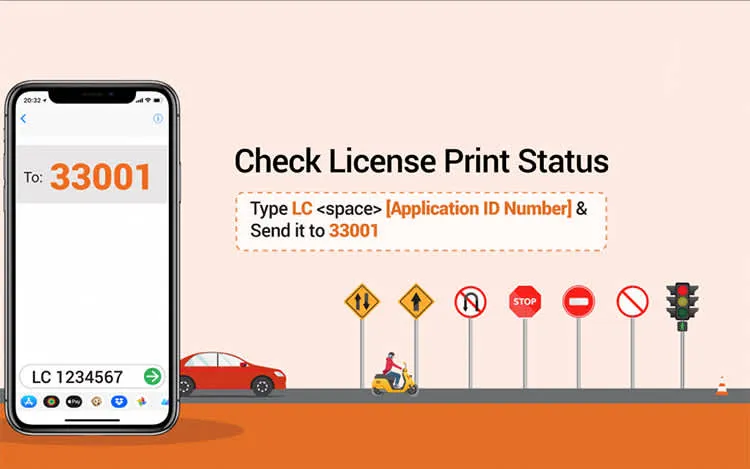
To find out if your smart license has been printed or not, first type LC in your message box and by leaving a space, type your applicant ID and send this SMS to 33001. After this, you will receive an immediate result of whether your license is printed or not.
Process: Type LC<space> [Application ID Number] and send it to 33001.
[Note: If you receive an SMS of your license already printed you can get your smart license by contacting the License Department office you had applied in.]