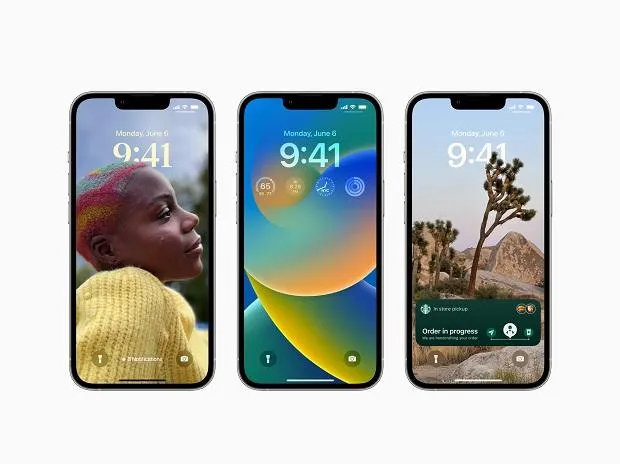
The iPhone battery percentage indicator is back!!! Yes, you can now activate the battery percentage and see exactly how much battery you have left if you have a compatible iPhone running iOS 16. And in this article, we'll demonstrate how to activate this recently updated iOS feature.
Ios 16 battery percentage Enabling Steps
- In iOS 16, tap "Battery" in the Settings app to enable battery percentage.
- If your iPhone is compatible, you will notice a new toggle labeled "Battery Percentage" above the Low Power Mode.
- Simply turn it on, and your iPhone's battery symbol in the upper right corner will show you your battery's remaining capacity.
- Even with the battery % turned on, the battery icon's regular color effects are still present. The symbol changes color from yellow to red when you enable Low Power Mode and turns red when the battery level falls below 20%.
Supported Devices for Ios 16 battery percentage
- Unfortunately, not all iPhones running iOS 16 have access to the icon for the battery percentage. The iPhone XR, iPhone 11, iPhone 12 mini, and iPhone 13 mini, according to Apple's support website, won't show it.
- Unfortunately, the tech giant doesn't explain why this is the case with these particular models.
- Therefore, if you own one of these iPhones, the option won't be shown in the Battery settings.
- Because of their screen resolutions, the iPhone XR and iPhone 11 might not have gotten the new feature because a pixelized battery percentage would not look nice. In other words, Apple might have chosen not to provide these four battery percentage indicators.
- iPhone 13 Mini, iPhone 12 Mini, iPhone XR, and iPhone 11 Status Bar Now Display Battery Percentage Thanks to iOS 16.1(You may add a battery widget that displays the battery percentage to your lock and home screens if you have an iPhone XR, iPhone 11, iPhone 12 mini, or iPhone 13 mini running iOS 16. This allows you to quickly and easily view the precise reading.)
Thank you for reading!! We hope this article was helpful to you. Feel free to ask any queries or doubts in the comment section below. Have a great day ahead!!
-original.webp)
-original.webp)
-original.webp)
-original.webp)