Introduction
Google has recently announced the integration of its popular Google Lens feature on the company’s homepage. This new addition allows its users to use advanced image recognition and searching technology right from its iconic search bar.
In this post, we’ll talk about the addition of Google Lens to the search engine homepage. We’ll also go through the features and services of Google Lens. Let’s get started.
Google Lens Overview
Google first launched Google Lens back in 2017 as a Google Pixel-exclusive feature. Since then, the company has been integrating its Lens image recognition technology into Google Assistant, mobile chrome, Android as well as iOS apps, and Google Photos. Even though it made the transition from mobile devices to the desktop with Google Photos and Chrome last year, its fullest offering was on mobile phones.
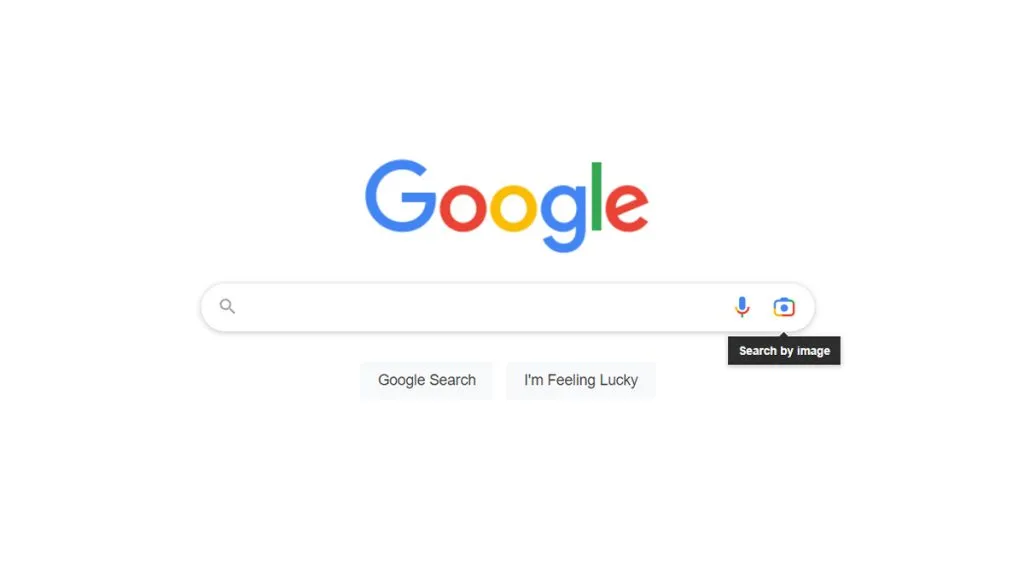
Finally, Google has added its iconic Lens on the company’s homepage last Tuesday. The Lens button is now visible on the search bar of google.com as well as on the Chrome browser. By placing the Lens right on its homepage, Google wants to offer this technology to individuals who may not have known about it or haven't tested it yet.
Google’s vice president of engineering, Rajan Patel, announced the integration of the Google Lens icon on the homepage search bar via a tweet on Tuesday.
Google Lens in Google.com
The Google lens icon now sits next to the voice search button on the search bar of google.com. Users can now search for any image with Google Lens by just clicking the Lens logo.
When you tap on the lens button, a page appears where you can drag and drop or upload an image, or paste the URL of the image. After doing so, a result page will appear with Visual matches, Text, and Translate tools.
Google Lens Features and Services
- Copy text from an image: Using a Google lens, you can copy text from a picture and actual documents like books, whiteboards, or anything else with writing on it to your desktop or mobile clipboard.
- Interact with text from an image: Google Lens can pull and process text from images.
- Look for comparable photos online: Google Lens can look for image online that are similar to the real object being searched for in the image.
- Translate text from an image: Google Lens comes with in-build translation features
Conclusion
The addition of Google Lens on the Google homepage will allow you to use image identification and searching technology directly from the search bar. This will helps the company to introduce this technology to large masses of users all over the world.
Here, we’ve talked about the integration of Google Lens on Google.com. We’ve also covered the features and services of Google Lens. We hope you found this article helpful.
Feel free to drop your queries or doubts in the comment section.
Join us on Facebook for insights on the latest updates on automobiles and gadgets: Autoncell
Also, follow us on our other Social Media Handels: